
Free Trial

ReRoom AI

Upload a photo of any room or building, get back a photorealistic AI rendering in the style you want – virtual staging and architectural visualization in one tool.

3.2 Design
3.2 Good 3.2

Bottom line: ReRoom AI is a capable design tool, best known for AI photorealistic rendering from an uploaded room or building photo.

Covers both interior staging and exterior architectural rendering in one tool Specific pricing plans aren't detailed on the page
Reviewed by Challenging Voice Editorial · Updated Aug 2026 How we rate
PricingFree Trial
Free planNo
CompanyReRoom AI
PlatformsWeb
Best forDesign
Visits15
Last reviewedAug 2026
UpdatedAug 2026
Ask AI about ReRoom AI ChatGPT Claude Perplexity

Overview

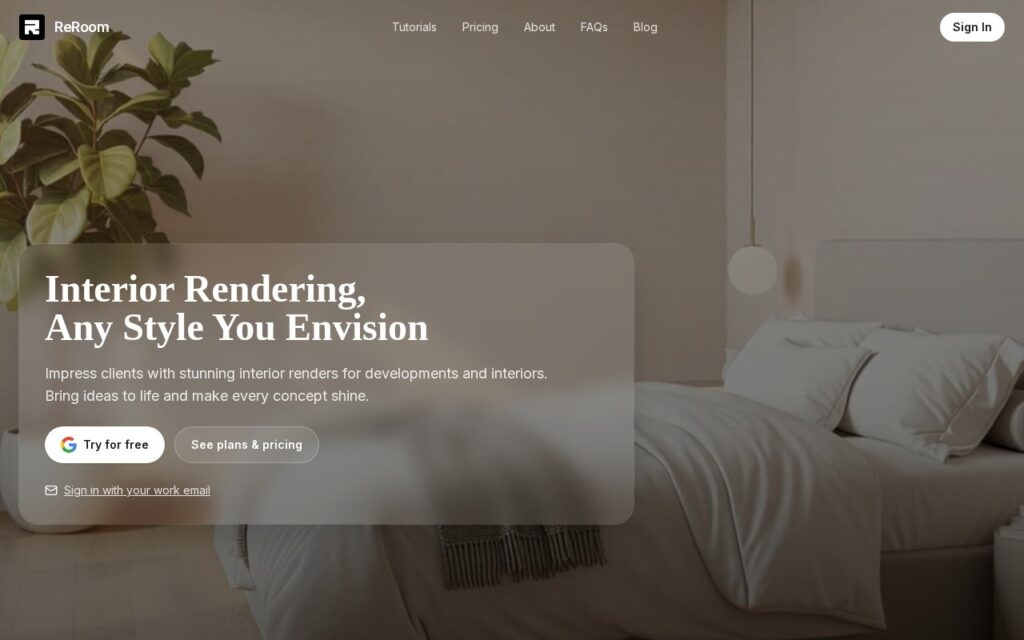
ReRoom AI is a virtual staging and interior rendering platform: upload an image of a room or building and receive photorealistic AI renderings across multiple design styles, turning a rough concept into a finished-looking visual.

It covers both interior and architectural rendering, supporting virtual staging for property developments as well as full exterior building visualizations, with before/after comparison views showing the original photo alongside the AI-generated render. A community gallery of past creations offers inspiration and style reference.

ReRoom AI targets interior designers, architects, real estate developers, property staging professionals, and design conceptualization teams. Users can try it for free or sign in with a work email; specific pricing plans aren’t detailed on the page reviewed.

Key features

  • AI photorealistic rendering from an uploaded room or building photo
  • Multiple design style options
  • Virtual staging for real estate and interior design
  • Interior and exterior architectural visualization
  • Before/after comparison views

Screenshots & demo

ReRoom AI screenshot 1

Pricing

Visit the ReRoom AI website for current plans and pricing.

  • Pricing modelFree Trial
  • Starting priceCustom
  • Free planNo
Visit ReRoom AI

Pricing is provided as a guide. Check the official site for the latest plans.

Pros & cons

Pros

  • Covers both interior staging and exterior architectural rendering in one tool
  • Free trial available before committing
  • Before/after comparisons make it easy to evaluate render quality directly

Cons

  • Specific pricing plans aren't detailed on the page
  • AI renderings are conceptual visualizations, not construction-ready technical drawings
  • Photorealistic output quality depends on the clarity of the uploaded source photo

How it compares

ToolRatingFreeFromBest known for
ReRoom AI (this tool)3.2NoAI photorealistic rendering from an uploaded room or building photo
Canva4.7Yes$15/moMagic Studio suite of AI design tools
Relume4.7Yes$26/moAI-generated wireframes and page structure from a prompt
Durable4.7Yes$25/moWebsite generation marketed at roughly 30 seconds

Alternatives to ReRoom AI

4 tools our editors picked as direct alternatives to ReRoom AI.

Our verdict

3.2 / 5 3.2

ReRoom AI is a solid design tool, best known for AI photorealistic rendering from an uploaded room or building photo.

What makes it different: ReRoom AI stands out for AI photorealistic rendering from an uploaded room or building photo.

How we score it
Overall 3.2
Value for money 4.2
Feature depth 4.9
Popularity 4.0
Best for ProfessionalsTeamsCreatorsCurious learners

Frequently asked questions

What is ReRoom AI?
ReRoom AI is a design tool listed in the Challenging Voice directory. Upload a photo of any room or building, get back a photorealistic AI rendering in the style you want – virtual staging and architectural visualization in one tool.
Is ReRoom AI free?
ReRoom AI does not offer a free plan.
What are the best ReRoom AI alternatives?
Popular alternatives to ReRoom AI include Everypixel, SizzlePop, and PicTools.AI. Browse them all in the Design category.
Is ReRoom AI any good?
ReRoom AI scores 3.2 out of 5 based on our editorial review.

Reviews

3.2 No reviews yet

Write a review

Similar tools you might like